plotting module
Base plotting functions.
Provides functions for visualizing data in an efficient and convenient way. Each creates a figure widget that is compatible with ipywidgets and enables interactive data visualization in Jupyter Notebook and JupyterLab environments. For more details on using Plotly, see Getting Started with Plotly in Python.
Warning
Errors related to plotting in Jupyter environment usually appear in the logs, not under the cell.
clean_labels function
Clean labels.
Plotly doesn't support multi-indexes.
Bar class
Bar(
    data=None,
    trace_names=None,
    x_labels=None,
    trace_kwargs=None,
    add_trace_kwargs=None,
    make_figure_kwargs=None,
    fig=None,
    **layout_kwargs
)
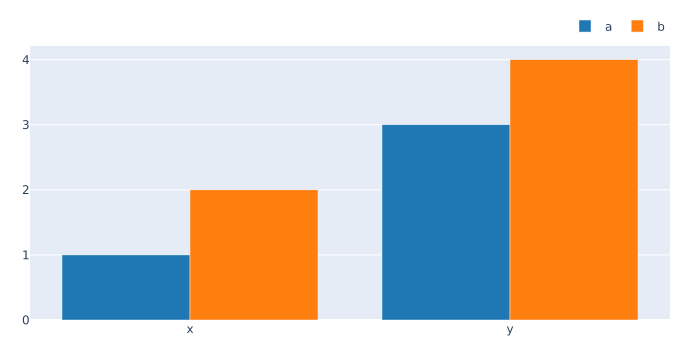
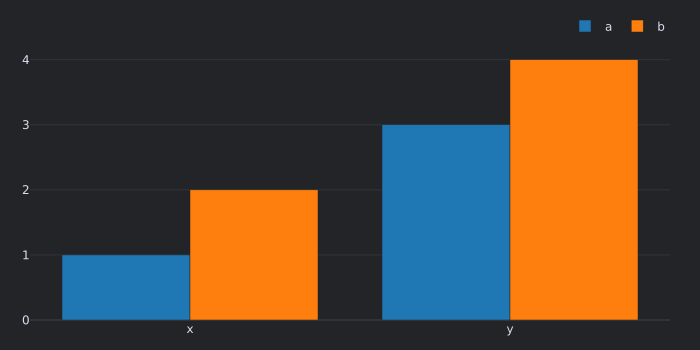
Bar plot.
Args
data:array_like-
Data in any format that can be converted to NumPy.
Must be of shape (
x_labels,trace_names). trace_names:strorlistofstr- Trace names, corresponding to columns in pandas.
x_labels:array_like- X-axis labels, corresponding to index in pandas.
trace_kwargs:dictorlistofdict-
Keyword arguments passed to
plotly.graph_objects.Bar.Can be specified per trace as a sequence of dicts.
add_trace_kwargs:dict- Keyword arguments passed to
add_trace. make_figure_kwargs:dict- Keyword arguments passed to make_figure.
fig:FigureorFigureWidget- Figure to add traces to.
**layout_kwargs- Keyword arguments for layout.
Usage
>>> from vectorbtpro import *

>>> bar = vbt.Bar(
...     data=[[1, 2], [3, 4]],
...     trace_names=['a', 'b'],
...     x_labels=['x', 'y']
... )
>>> bar.fig.show()
Superclasses
- Base
- Cacheable
- Chainable
- Comparable
- Configured
- HasSettings
- Pickleable
- Prettified
- TraceType
- TraceUpdater
Inherited members
- Base.chat
- Base.find_api
- Base.find_assets
- Base.find_docs
- Base.find_examples
- Base.find_messages
- Cacheable.get_ca_setup
- Chainable.chain
- Chainable.pipe
- Configured.copy
- Configured.equals
- Configured.get_writeable_attrs
- Configured.prettify
- Configured.replace
- Configured.resolve_merge_kwargs
- Configured.update_config
- HasSettings.get_path_setting
- HasSettings.get_path_settings
- HasSettings.get_setting
- HasSettings.get_settings
- HasSettings.has_path_setting
- HasSettings.has_path_settings
- HasSettings.has_setting
- HasSettings.has_settings
- HasSettings.reset_settings
- HasSettings.resolve_setting
- HasSettings.resolve_settings_paths
- HasSettings.set_settings
- Pickleable.decode_config
- Pickleable.decode_config_node
- Pickleable.dumps
- Pickleable.encode_config
- Pickleable.encode_config_node
- Pickleable.file_exists
- Pickleable.getsize
- Pickleable.load
- Pickleable.loads
- Pickleable.modify_state
- Pickleable.resolve_file_path
- Pickleable.save
- Prettified.pprint
- TraceType.config
- TraceType.rec_state
- TraceUpdater.fig
- TraceUpdater.traces
- TraceUpdater.update
- TraceUpdater.update_trace
Box class
Box(
    data=None,
    trace_names=None,
    horizontal=False,
    remove_nan=True,
    from_quantile=None,
    to_quantile=None,
    trace_kwargs=None,
    add_trace_kwargs=None,
    make_figure_kwargs=None,
    fig=None,
    **layout_kwargs
)
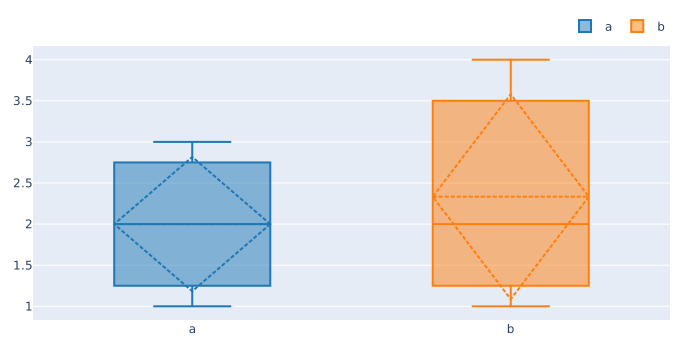
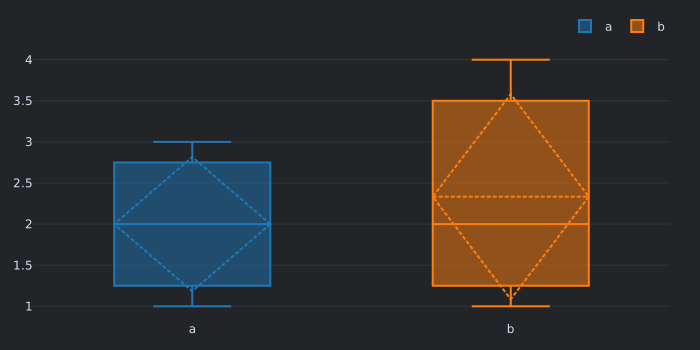
Box plot.
For keyword arguments, see Histogram.
Usage
>>> from vectorbtpro import *

>>> box = vbt.Box(
...     data=[[1, 2], [3, 4], [2, 1]],
...     trace_names=['a', 'b']
... )
>>> box.fig.show()
Superclasses
- Base
- Cacheable
- Chainable
- Comparable
- Configured
- HasSettings
- Pickleable
- Prettified
- TraceType
- TraceUpdater
Inherited members
- Base.chat
- Base.find_api
- Base.find_assets
- Base.find_docs
- Base.find_examples
- Base.find_messages
- Cacheable.get_ca_setup
- Chainable.chain
- Chainable.pipe
- Configured.copy
- Configured.equals
- Configured.get_writeable_attrs
- Configured.prettify
- Configured.replace
- Configured.resolve_merge_kwargs
- Configured.update_config
- HasSettings.get_path_setting
- HasSettings.get_path_settings
- HasSettings.get_setting
- HasSettings.get_settings
- HasSettings.has_path_setting
- HasSettings.has_path_settings
- HasSettings.has_setting
- HasSettings.has_settings
- HasSettings.reset_settings
- HasSettings.resolve_setting
- HasSettings.resolve_settings_paths
- HasSettings.set_settings
- Pickleable.decode_config
- Pickleable.decode_config_node
- Pickleable.dumps
- Pickleable.encode_config
- Pickleable.encode_config_node
- Pickleable.file_exists
- Pickleable.getsize
- Pickleable.load
- Pickleable.loads
- Pickleable.modify_state
- Pickleable.resolve_file_path
- Pickleable.save
- Prettified.pprint
- TraceType.config
- TraceType.rec_state
- TraceUpdater.fig
- TraceUpdater.traces
- TraceUpdater.update
- TraceUpdater.update_trace
from_quantile class property
Filter out data points before this quantile.
horizontal class property
Whether to plot horizontally.
remove_nan class property
Whether to remove NaN values.
to_quantile class property
Filter out data points after this quantile.
Gauge class
Gauge(
    value=None,
    label=None,
    value_range=None,
    cmap_name='Spectral',
    trace_kwargs=None,
    add_trace_kwargs=None,
    make_figure_kwargs=None,
    fig=None,
    **layout_kwargs
)
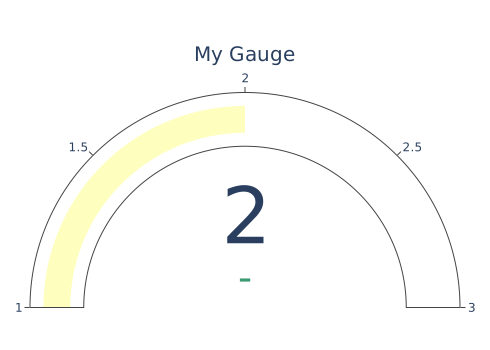
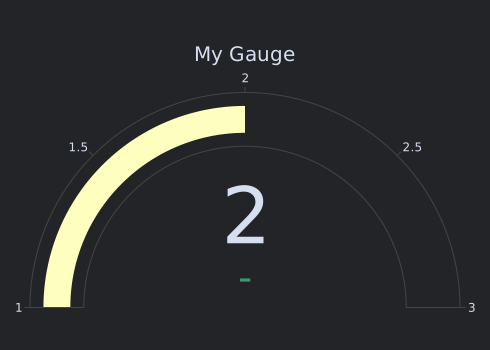
Gauge plot.
Args
value:float- The value to be displayed.
label:str- The label to be displayed.
value_range:tupleoffloat- The value range of the gauge.
cmap_name:str-
A matplotlib-compatible colormap name.
See the list of available colormaps.
trace_kwargs:dict- Keyword arguments passed to the
plotly.graph_objects.Indicator. add_trace_kwargs:dict- Keyword arguments passed to
add_trace. make_figure_kwargs:dict- Keyword arguments passed to make_figure.
fig:FigureorFigureWidget- Figure to add traces to.
**layout_kwargs- Keyword arguments for layout.
Usage
>>> from vectorbtpro import *

>>> gauge = vbt.Gauge(
...     value=2,
...     value_range=(1, 3),
...     label='My Gauge'
... )
>>> gauge.fig.show()
Superclasses
- Base
- Cacheable
- Chainable
- Comparable
- Configured
- HasSettings
- Pickleable
- Prettified
- TraceType
- TraceUpdater
Inherited members
- Base.chat
- Base.find_api
- Base.find_assets
- Base.find_docs
- Base.find_examples
- Base.find_messages
- Cacheable.get_ca_setup
- Chainable.chain
- Chainable.pipe
- Configured.copy
- Configured.equals
- Configured.get_writeable_attrs
- Configured.prettify
- Configured.replace
- Configured.resolve_merge_kwargs
- Configured.update_config
- HasSettings.get_path_setting
- HasSettings.get_path_settings
- HasSettings.get_setting
- HasSettings.get_settings
- HasSettings.has_path_setting
- HasSettings.has_path_settings
- HasSettings.has_setting
- HasSettings.has_settings
- HasSettings.reset_settings
- HasSettings.resolve_setting
- HasSettings.resolve_settings_paths
- HasSettings.set_settings
- Pickleable.decode_config
- Pickleable.decode_config_node
- Pickleable.dumps
- Pickleable.encode_config
- Pickleable.encode_config_node
- Pickleable.file_exists
- Pickleable.getsize
- Pickleable.load
- Pickleable.loads
- Pickleable.modify_state
- Pickleable.resolve_file_path
- Pickleable.save
- Prettified.pprint
- TraceType.config
- TraceType.rec_state
- TraceUpdater.fig
- TraceUpdater.traces
- TraceUpdater.update
- TraceUpdater.update_trace
cmap_name class property
A matplotlib-compatible colormap name.
value_range class property
The value range of the gauge.
Heatmap class
Heatmap(
    data=None,
    x_labels=None,
    y_labels=None,
    is_x_category=False,
    is_y_category=False,
    trace_kwargs=None,
    add_trace_kwargs=None,
    make_figure_kwargs=None,
    fig=None,
    **layout_kwargs
)
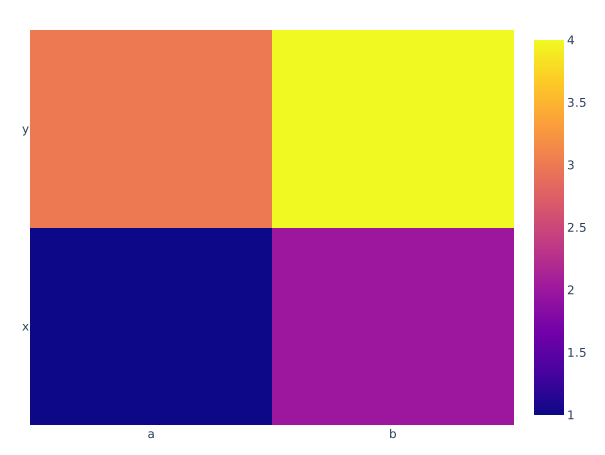
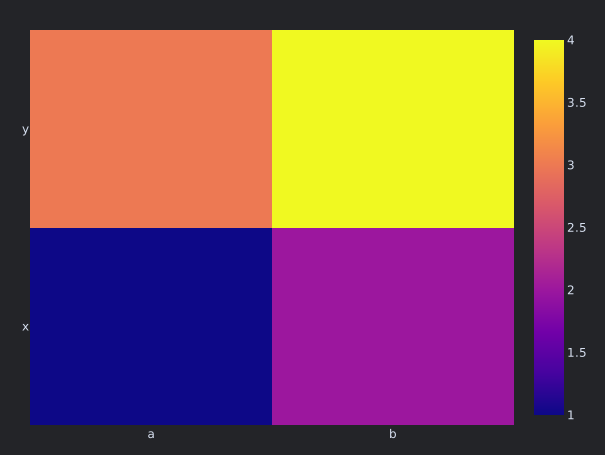
Heatmap plot.
Args
data:array_like-
Data in any format that can be converted to NumPy.
Must be of shape (
y_labels,x_labels). x_labels:array_like- X-axis labels, corresponding to columns in pandas.
y_labels:array_like- Y-axis labels, corresponding to index in pandas.
is_x_category:bool- Whether X-axis is a categorical axis.
is_y_category:bool- Whether Y-axis is a categorical axis.
trace_kwargs:dict- Keyword arguments passed to
plotly.graph_objects.Heatmap. add_trace_kwargs:dict- Keyword arguments passed to
add_trace. make_figure_kwargs:dict- Keyword arguments passed to make_figure.
fig:FigureorFigureWidget- Figure to add traces to.
**layout_kwargs- Keyword arguments for layout.
Usage
>>> from vectorbtpro import *

>>> heatmap = vbt.Heatmap(
...     data=[[1, 2], [3, 4]],
...     x_labels=['a', 'b'],
...     y_labels=['x', 'y']
... )
>>> heatmap.fig.show()
Superclasses
- Base
- Cacheable
- Chainable
- Comparable
- Configured
- HasSettings
- Pickleable
- Prettified
- TraceType
- TraceUpdater
Inherited members
- Base.chat
- Base.find_api
- Base.find_assets
- Base.find_docs
- Base.find_examples
- Base.find_messages
- Cacheable.get_ca_setup
- Chainable.chain
- Chainable.pipe
- Configured.copy
- Configured.equals
- Configured.get_writeable_attrs
- Configured.prettify
- Configured.replace
- Configured.resolve_merge_kwargs
- Configured.update_config
- HasSettings.get_path_setting
- HasSettings.get_path_settings
- HasSettings.get_setting
- HasSettings.get_settings
- HasSettings.has_path_setting
- HasSettings.has_path_settings
- HasSettings.has_setting
- HasSettings.has_settings
- HasSettings.reset_settings
- HasSettings.resolve_setting
- HasSettings.resolve_settings_paths
- HasSettings.set_settings
- Pickleable.decode_config
- Pickleable.decode_config_node
- Pickleable.dumps
- Pickleable.encode_config
- Pickleable.encode_config_node
- Pickleable.file_exists
- Pickleable.getsize
- Pickleable.load
- Pickleable.loads
- Pickleable.modify_state
- Pickleable.resolve_file_path
- Pickleable.save
- Prettified.pprint
- TraceType.config
- TraceType.rec_state
- TraceUpdater.fig
- TraceUpdater.traces
- TraceUpdater.update
- TraceUpdater.update_trace
Histogram class
Histogram(
    data=None,
    trace_names=None,
    horizontal=False,
    remove_nan=True,
    from_quantile=None,
    to_quantile=None,
    trace_kwargs=None,
    add_trace_kwargs=None,
    make_figure_kwargs=None,
    fig=None,
    **layout_kwargs
)
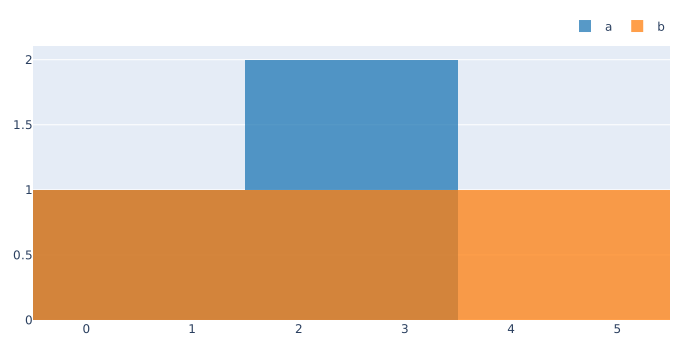
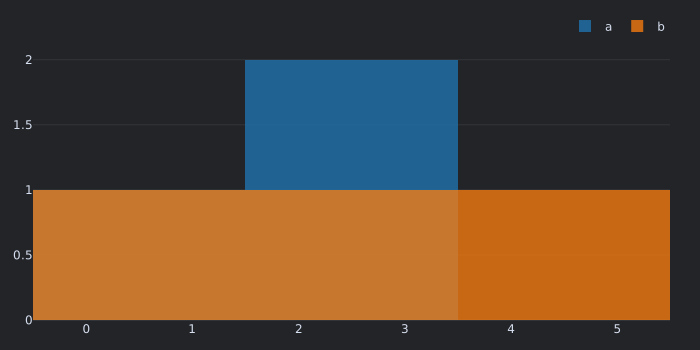
Histogram plot.
Args
data:array_like-
Data in any format that can be converted to NumPy.
Must be of shape (any,
trace_names). trace_names:strorlistofstr- Trace names, corresponding to columns in pandas.
horizontal:bool- Whether to plot horizontally.
remove_nan:bool- Whether to remove NaN values.
from_quantile:float-
Filter out data points before this quantile.
Must be in range
[0, 1]. to_quantile:float-
Filter out data points after this quantile.
Must be in range
[0, 1]. trace_kwargs:dictorlistofdict-
Keyword arguments passed to
plotly.graph_objects.Histogram.Can be specified per trace as a sequence of dicts.
add_trace_kwargs:dict- Keyword arguments passed to
add_trace. make_figure_kwargs:dict- Keyword arguments passed to make_figure.
fig:FigureorFigureWidget- Figure to add traces to.
**layout_kwargs- Keyword arguments for layout.
Usage
>>> from vectorbtpro import *

>>> hist = vbt.Histogram(
...     data=[[1, 2], [3, 4], [2, 1]],
...     trace_names=['a', 'b']
... )
>>> hist.fig.show()
Superclasses
- Base
- Cacheable
- Chainable
- Comparable
- Configured
- HasSettings
- Pickleable
- Prettified
- TraceType
- TraceUpdater
Inherited members
- Base.chat
- Base.find_api
- Base.find_assets
- Base.find_docs
- Base.find_examples
- Base.find_messages
- Cacheable.get_ca_setup
- Chainable.chain
- Chainable.pipe
- Configured.copy
- Configured.equals
- Configured.get_writeable_attrs
- Configured.prettify
- Configured.replace
- Configured.resolve_merge_kwargs
- Configured.update_config
- HasSettings.get_path_setting
- HasSettings.get_path_settings
- HasSettings.get_setting
- HasSettings.get_settings
- HasSettings.has_path_setting
- HasSettings.has_path_settings
- HasSettings.has_setting
- HasSettings.has_settings
- HasSettings.reset_settings
- HasSettings.resolve_setting
- HasSettings.resolve_settings_paths
- HasSettings.set_settings
- Pickleable.decode_config
- Pickleable.decode_config_node
- Pickleable.dumps
- Pickleable.encode_config
- Pickleable.encode_config_node
- Pickleable.file_exists
- Pickleable.getsize
- Pickleable.load
- Pickleable.loads
- Pickleable.modify_state
- Pickleable.resolve_file_path
- Pickleable.save
- Prettified.pprint
- TraceType.config
- TraceType.rec_state
- TraceUpdater.fig
- TraceUpdater.traces
- TraceUpdater.update
- TraceUpdater.update_trace
from_quantile class property
Filter out data points before this quantile.
horizontal class property
Whether to plot horizontally.
remove_nan class property
Whether to remove NaN values.
to_quantile class property
Filter out data points after this quantile.
Scatter class
Scatter(
    data=None,
    trace_names=None,
    x_labels=None,
    trace_kwargs=None,
    add_trace_kwargs=None,
    make_figure_kwargs=None,
    fig=None,
    use_gl=None,
    **layout_kwargs
)
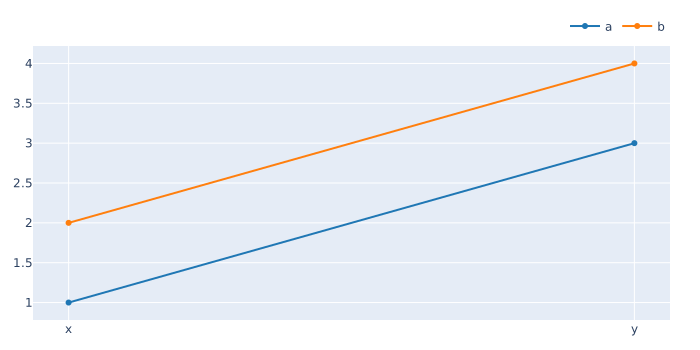
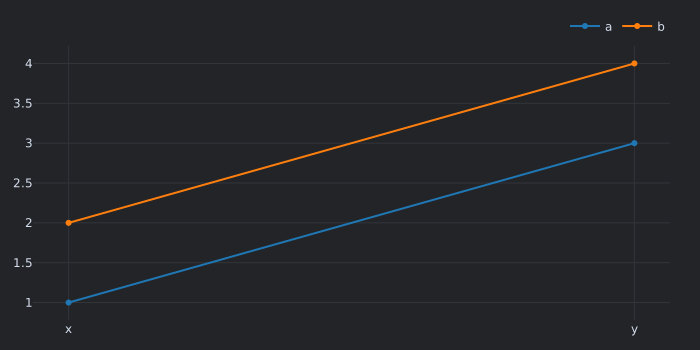
Scatter plot.
Args
data:array_like-
Data in any format that can be converted to NumPy.
Must be of shape (
x_labels,trace_names). trace_names:strorlistofstr- Trace names, corresponding to columns in pandas.
x_labels:array_like- X-axis labels, corresponding to index in pandas.
trace_kwargs:dictorlistofdict-
Keyword arguments passed to
plotly.graph_objects.Scatter.Can be specified per trace as a sequence of dicts.
add_trace_kwargs:dict- Keyword arguments passed to
add_trace. make_figure_kwargs:dict- Keyword arguments passed to make_figure.
fig:FigureorFigureWidget- Figure to add traces to.
use_gl:bool-
Whether to use
plotly.graph_objects.Scattergl.Defaults to the global setting. If the global setting is None, becomes True if there are more than 10,000 data points.
**layout_kwargs- Keyword arguments for layout.
Usage
>>> from vectorbtpro import *

>>> scatter = vbt.Scatter(
...     data=[[1, 2], [3, 4]],
...     trace_names=['a', 'b'],
...     x_labels=['x', 'y']
... )
>>> scatter.fig.show()
Superclasses
- Base
- Cacheable
- Chainable
- Comparable
- Configured
- HasSettings
- Pickleable
- Prettified
- TraceType
- TraceUpdater
Inherited members
- Base.chat
- Base.find_api
- Base.find_assets
- Base.find_docs
- Base.find_examples
- Base.find_messages
- Cacheable.get_ca_setup
- Chainable.chain
- Chainable.pipe
- Configured.copy
- Configured.equals
- Configured.get_writeable_attrs
- Configured.prettify
- Configured.replace
- Configured.resolve_merge_kwargs
- Configured.update_config
- HasSettings.get_path_setting
- HasSettings.get_path_settings
- HasSettings.get_setting
- HasSettings.get_settings
- HasSettings.has_path_setting
- HasSettings.has_path_settings
- HasSettings.has_setting
- HasSettings.has_settings
- HasSettings.reset_settings
- HasSettings.resolve_setting
- HasSettings.resolve_settings_paths
- HasSettings.set_settings
- Pickleable.decode_config
- Pickleable.decode_config_node
- Pickleable.dumps
- Pickleable.encode_config
- Pickleable.encode_config_node
- Pickleable.file_exists
- Pickleable.getsize
- Pickleable.load
- Pickleable.loads
- Pickleable.modify_state
- Pickleable.resolve_file_path
- Pickleable.save
- Prettified.pprint
- TraceType.config
- TraceType.rec_state
- TraceUpdater.fig
- TraceUpdater.traces
- TraceUpdater.update
- TraceUpdater.update_trace
TraceType class
Class representing a trace type.
Superclasses
Inherited members
- Base.chat
- Base.find_api
- Base.find_assets
- Base.find_docs
- Base.find_examples
- Base.find_messages
- Cacheable.get_ca_setup
- Chainable.chain
- Chainable.pipe
- Configured.config
- Configured.copy
- Configured.equals
- Configured.get_writeable_attrs
- Configured.prettify
- Configured.rec_state
- Configured.replace
- Configured.resolve_merge_kwargs
- Configured.update_config
- HasSettings.get_path_setting
- HasSettings.get_path_settings
- HasSettings.get_setting
- HasSettings.get_settings
- HasSettings.has_path_setting
- HasSettings.has_path_settings
- HasSettings.has_setting
- HasSettings.has_settings
- HasSettings.reset_settings
- HasSettings.resolve_setting
- HasSettings.resolve_settings_paths
- HasSettings.set_settings
- Pickleable.decode_config
- Pickleable.decode_config_node
- Pickleable.dumps
- Pickleable.encode_config
- Pickleable.encode_config_node
- Pickleable.file_exists
- Pickleable.getsize
- Pickleable.load
- Pickleable.loads
- Pickleable.modify_state
- Pickleable.resolve_file_path
- Pickleable.save
- Prettified.pprint
Subclasses
TraceUpdater class
Class for updating traces.
Superclasses
Inherited members
Subclasses
fig class property
Figure.
traces class property
Traces to update.
update method
Update all traces using new data.
update_trace class method
Update one trace.
Volume class
Volume(
    data=None,
    x_labels=None,
    y_labels=None,
    z_labels=None,
    trace_kwargs=None,
    add_trace_kwargs=None,
    scene_name='scene',
    make_figure_kwargs=None,
    fig=None,
    **layout_kwargs
)
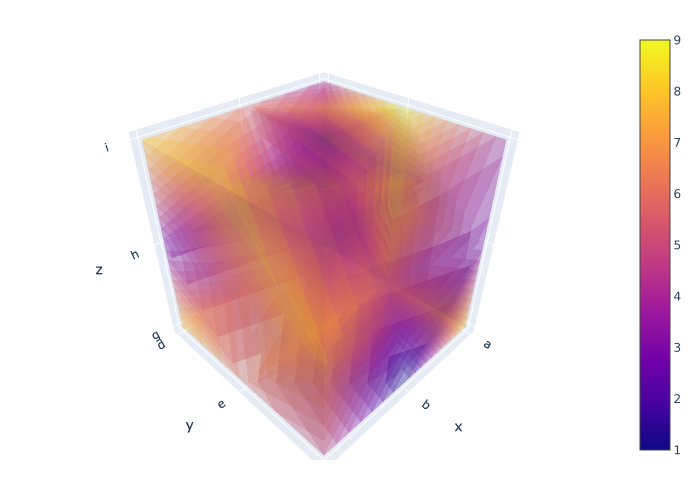
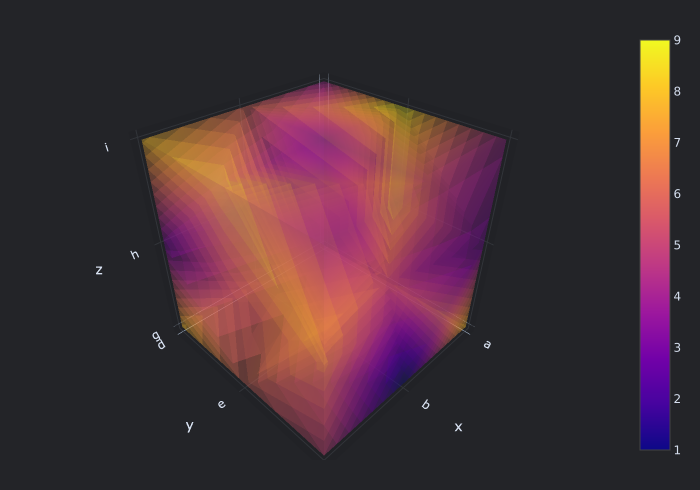
Volume plot.
Args
data:array_like-
Data in any format that can be converted to NumPy.
Must be a 3-dim array.
x_labels:array_like- X-axis labels.
y_labels:array_like- Y-axis labels.
z_labels:array_like- Z-axis labels.
trace_kwargs:dict- Keyword arguments passed to
plotly.graph_objects.Volume. add_trace_kwargs:dict- Keyword arguments passed to
add_trace. scene_name:str- Reference to the 3D scene.
make_figure_kwargs:dict- Keyword arguments passed to make_figure.
fig:FigureorFigureWidget- Figure to add traces to.
**layout_kwargs- Keyword arguments for layout.
Note
Figure widgets have currently problems displaying NaNs. Use .show() method for rendering.
Usage
>>> from vectorbtpro import *

>>> volume = vbt.Volume(
...     data=np.random.randint(1, 10, size=(3, 3, 3)),
...     x_labels=['a', 'b', 'c'],
...     y_labels=['d', 'e', 'f'],
...     z_labels=['g', 'h', 'i']
... )
>>> volume.fig.show()
Superclasses
- Base
- Cacheable
- Chainable
- Comparable
- Configured
- HasSettings
- Pickleable
- Prettified
- TraceType
- TraceUpdater
Inherited members
- Base.chat
- Base.find_api
- Base.find_assets
- Base.find_docs
- Base.find_examples
- Base.find_messages
- Cacheable.get_ca_setup
- Chainable.chain
- Chainable.pipe
- Configured.copy
- Configured.equals
- Configured.get_writeable_attrs
- Configured.prettify
- Configured.replace
- Configured.resolve_merge_kwargs
- Configured.update_config
- HasSettings.get_path_setting
- HasSettings.get_path_settings
- HasSettings.get_setting
- HasSettings.get_settings
- HasSettings.has_path_setting
- HasSettings.has_path_settings
- HasSettings.has_setting
- HasSettings.has_settings
- HasSettings.reset_settings
- HasSettings.resolve_setting
- HasSettings.resolve_settings_paths
- HasSettings.set_settings
- Pickleable.decode_config
- Pickleable.decode_config_node
- Pickleable.dumps
- Pickleable.encode_config
- Pickleable.encode_config_node
- Pickleable.file_exists
- Pickleable.getsize
- Pickleable.load
- Pickleable.loads
- Pickleable.modify_state
- Pickleable.resolve_file_path
- Pickleable.save
- Prettified.pprint
- TraceType.config
- TraceType.rec_state
- TraceUpdater.fig
- TraceUpdater.traces
- TraceUpdater.update
- TraceUpdater.update_trace